摸索 #
如果使用 Windows,我们可以在 PowerShell 中临时安装和运行 google-adk,进而创建一个 ADK Agent 项目。通过该项目,我们则可以启动 Web UI,加载创建好的 AI Agent。
在创建 ADK Agent 项目前,需要先在 PATH 中安装 uv,根据官方文档,可以在 PowerShell 中直接运行以下脚本:
powershell -ExecutionPolicy ByPass -c "irm https://astral.sh/uv/install.ps1 | iex"

按照反馈来运行相应的代码——这一步是新安装的 uv 在当前会话中临时生效。
$env:Path = "C:\用户\用户名\.local\bin;$env:Path"
下面可以进行 google-adk的临时安装,并创建 ADK agent 的项目,我们将该项目文件夹命名为 my-agent。
uvx --from google-adk adk create --type=config my_agent
项目创建成功后,文件夹中会多出这些文件:
my_agent/
├─ .env
├─ __init__.py
└─ root_agent.yaml
其中,root_agent.yaml 是主配置文件;.env 则用于保存运行时的环境变量(例如 Google 服务账号路径、项目 id、region 等)。
PowerShell 界面会提示为 root agent 选择模型。
Choose a model for the root agent:
1. gemini-2.5-flash
2. Other models (fill later)
Choose model (1, 2):
选择 1,然后继续选择。
Choose model (1, 2): 1
1. Google AI
2. Vertex AI
Choose a backend (1, 2):
仍然选择 1,会让我们填写自己的 Google API key——进入反馈信息提供的网站可以查询。
Don't have API Key? Create one in AI Studio: https://aistudio.google.com/apikey

Enter Google API key:
填写好 API 后,接下来可以启动 Web UI,加载创建的 agent,进而在本地开启一个网页服务。
uvx --from google-adk adk web my_agent/
虽然根据提供的网站我可以进入 Web UI 界面,但却显示以下信息,并没有 AI agent。
Failed to load agents. To get started, run adk web in the folder that contains the agents. Warning: No agents found in current folder.
成功 #
从这时起我参考了 X 的这篇帖子,具体做法是重新在 PowerShell 中打开工作路径,然后安装 Google ADK Python 包。
pip install -U google-adk
创建一个 agent 模板,但是这次的命令和之前不一样。
adk create --type=config my_agent
不过结果会反馈已经存在了相关文件夹,并询问是否要覆盖——我们选择覆盖,然后模型按照之前的来选择,随后输入自己的 API 即可。
Non-empty folder already exist: 'D:\临时\GoogleAdk\my_agent'
Override existing content? [y/N]: y
Choose a model for the root agent:
1. gemini-2.5-flash
2. Other models (fill later)
Choose model (1, 2): 1
1. Google AI
2. Vertex AI
Choose a backend (1, 2): 1

Don't have API Key? Create one in AI Studio: https://aistudio.google.com/apikey

Enter Google API key:
最后启动 Web UI 的命令也很简单。
adk web
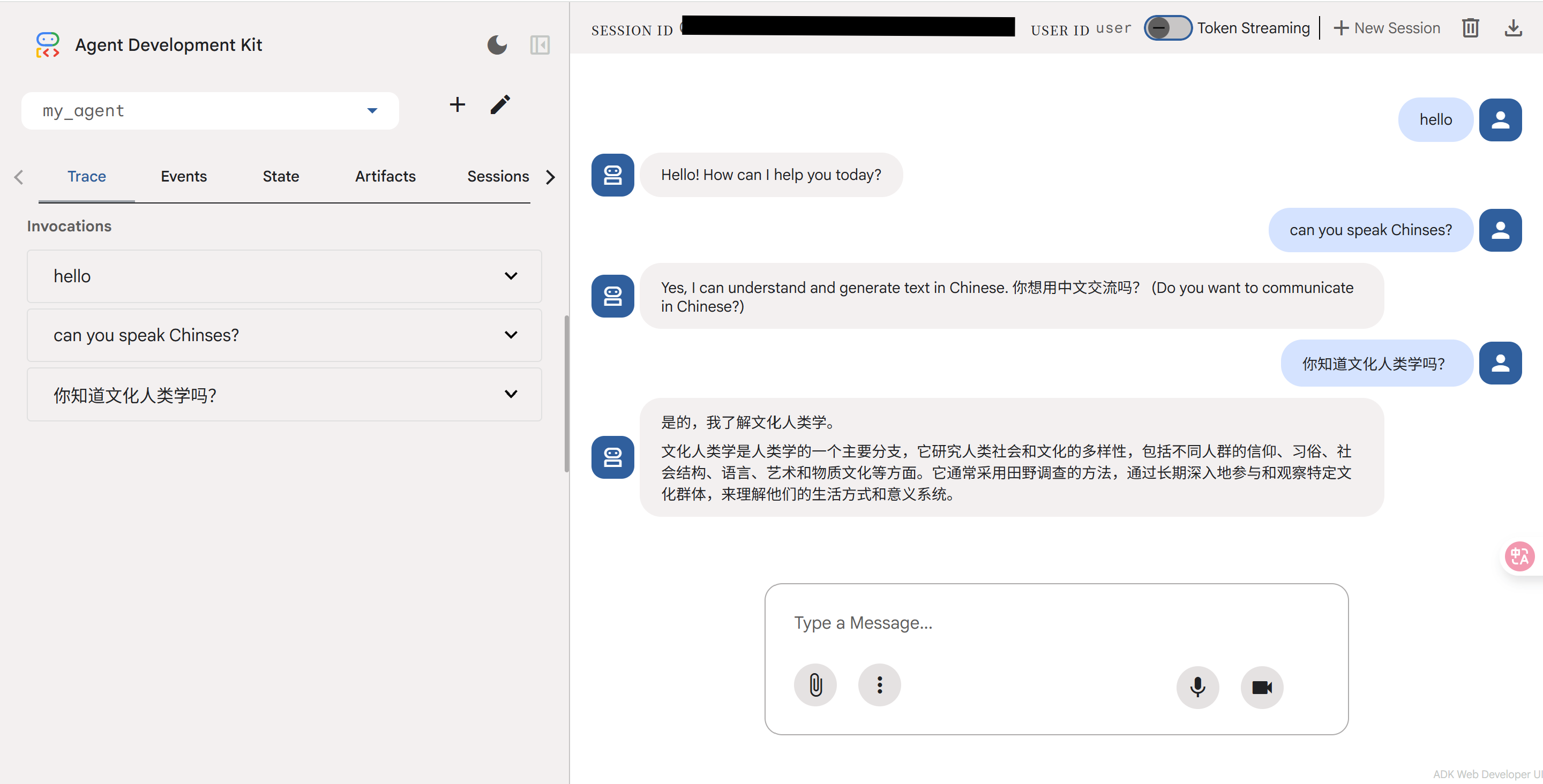
但这次给出的网址中的 Web UI 却完全可以正常运行。我问了 agent 两个问题,一个是「can you speak Chinese」,另一个是「你知道文化人类学吗」,agent 都回答上了。
构建多 agent #
构建多个 agent 的方法同样是参考 X 的帖子。
Ctrl+C 结束 Web UI,在 PowerShell 中下载 MCP。
pip install -U firecrawl-py
再次创建 agent 模板。
adk create --type=config my_agent
生成的 my_agent 文件夹包含 __init__.py、root_agent.yaml 和 .env 文件,用于存储 API 密钥。
打开 root_agent.yaml 文件,使用新的名称、描述和说明来进行更新,并在其中添加两个子 agent。
name: web_research_coordinator
model: gemini-2.5-flash
description: 'A coordinator agent that manages web research using Firecrawl for scraping and two specialized sub-agents for research and summarization.'
instruction: |
  You are a web research coordinator agent. Your job is to:
  1. Coordinate web research tasks using two sub-agents:
     - research_agent: Handles web search and scraping using the Firecrawl MCP tool, and analyzes content for insights and patterns
     - summary_agent: Creates comprehensive summaries and reports
  2. Synthesize findings from both agents into actionable insights
  Important: When delegating to research_agent, provide clear, specific instructions:
  For URLs: "Please scrape and analyze the content from [URL]"
  For research topics: "Please search for and analyze information about [TOPIC]"
  Do NOT pass complex objects or arrays to the research_agent. Use simple, clear text instructions.
  When given a URL or research topic:
  - Pass a clear, simple instruction to the research_agent (e.g., "Scrape and analyze https://example.com" or "Research AI trends")
  - The research_agent will use appropriate Firecrawl tools with correct parameters
  - The research_agent will analyze the content and return key findings
  - Delegate summarization of the research_agent's analysis to the summary_agent
  - Combine outputs from both agents into a final comprehensive report
sub_agents:
  - config_path: research_agent.yaml
  - config_path: summary_agent.yaml
下面单独创建两个子 agent 的 YAML 文件。
name: research_agent
model: gemini-2.5-flash
description: 'Specialized agent for analyzing web content and extracting insights, patterns, and key information.'
instruction: |
  You are a research analysis agent with access to Firecrawl web scraping tools. Your job is to:
  1. Use Firecrawl tools to scrape and search web content
  2. Analyze scraped content for key insights and patterns
  3. Identify important facts, trends, and relationships
  4. Extract relevant quotes and data points
  5. Provide structured analysis of the content
  6. Highlight any inconsistencies or gaps in information
  Firecrawl Tool Usage:
  - For URLs: Use `firecrawl_scrape` with parameter: {"url": "https://example.com"}
  - For search queries: Use `firecrawl_search` with parameter: {"query": "search term"}
  - Always use simple object parameters, not arrays or complex structures

  Always provide your analysis in a structured format with clear sections for:
  - Key Findings
  - Important Data Points
  - Trends and Patterns
  - Notable Quotes
  - Areas for Further Investigation
tools:
  - name: MCPToolset
    args:
      stdio_server_params:
        command: "npx"
        args:
          - "-y"
          - "firecrawl-mcp"
        env:
          FIRECRAWL_API_KEY: "${FIRECRAWL_API_KEY}"
name: summary_agent
model: gemini-2.5-flash
description: 'Specialized agent for creating comprehensive summaries and reports from research findings.'
instruction: |
  You are a summarization agent. Your job is to:
  1. Create clear, concise summaries of research findings
  2. Organize information into logical sections
  3. Generate executive summaries for quick understanding
  4. Create detailed reports with proper formatting
  5. Ensure all important information is captured and presented clearly
  Always structure your output with:
  - Executive Summary (2-3 sentences)
  - Detailed Summary (organized by topic)
  - Key Takeaways (bullet points)
  - Recommendations (if applicable)
  When creating summaries, ensure:
  - Information is accurate and well-organized
  - Key points are highlighted and easy to find
  - Complex information is simplified without losing meaning
  - Recommendations are actionable and specific
  - The summary is comprehensive yet concise
最后启动 Web UI 即可。
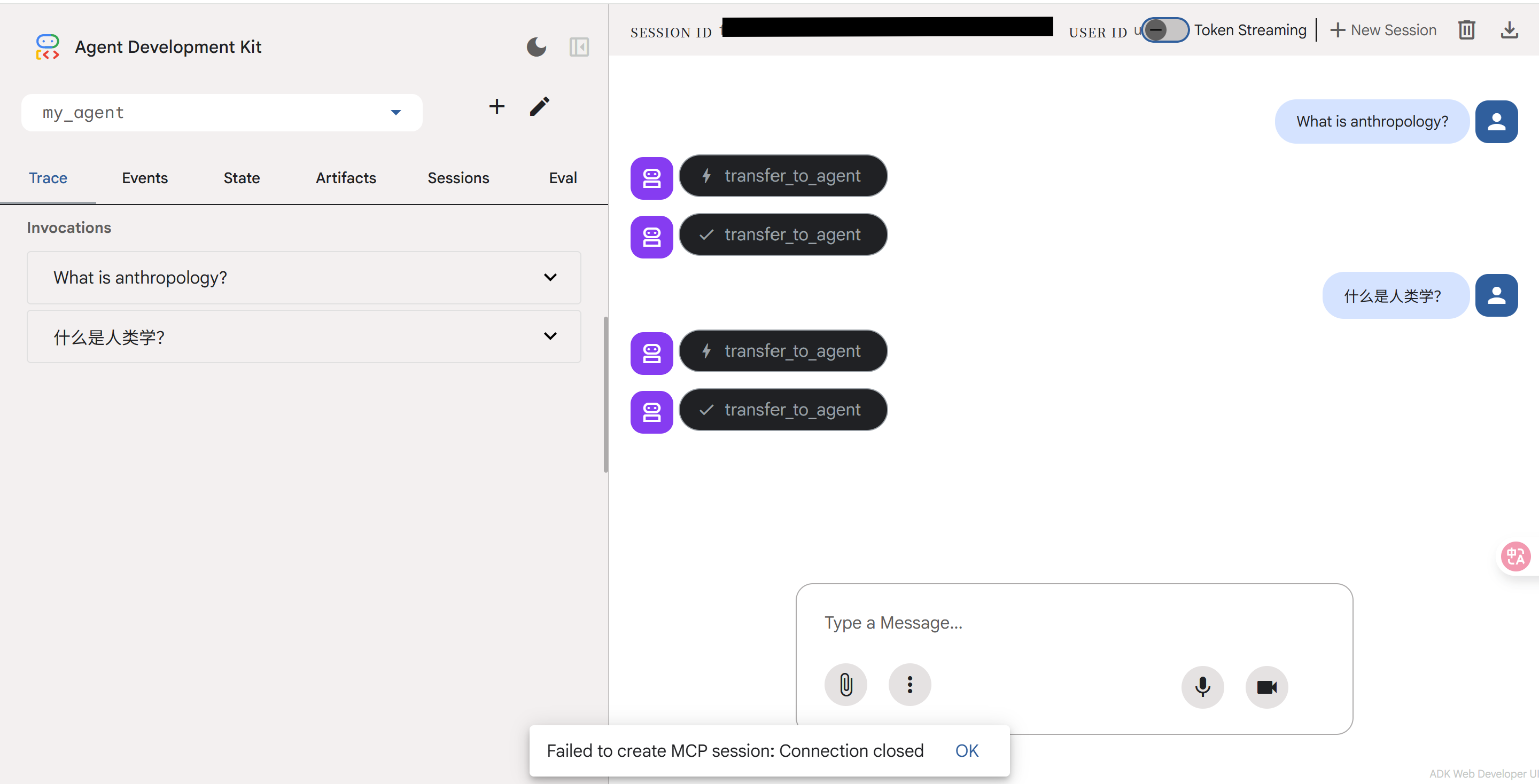
adk web
按理来说,这里添加了可以抓取和爬取网页的子 agent 的功能,但不知道为什么我的 Web UI 在加载一会儿后会显示「Failed to create MCP session: Connection closed」,无法作答。